


WordPress开启WP Super Cache插件后可能会出现访问不了菜单和链接内容,解决方法:
一、安装插件和开启,
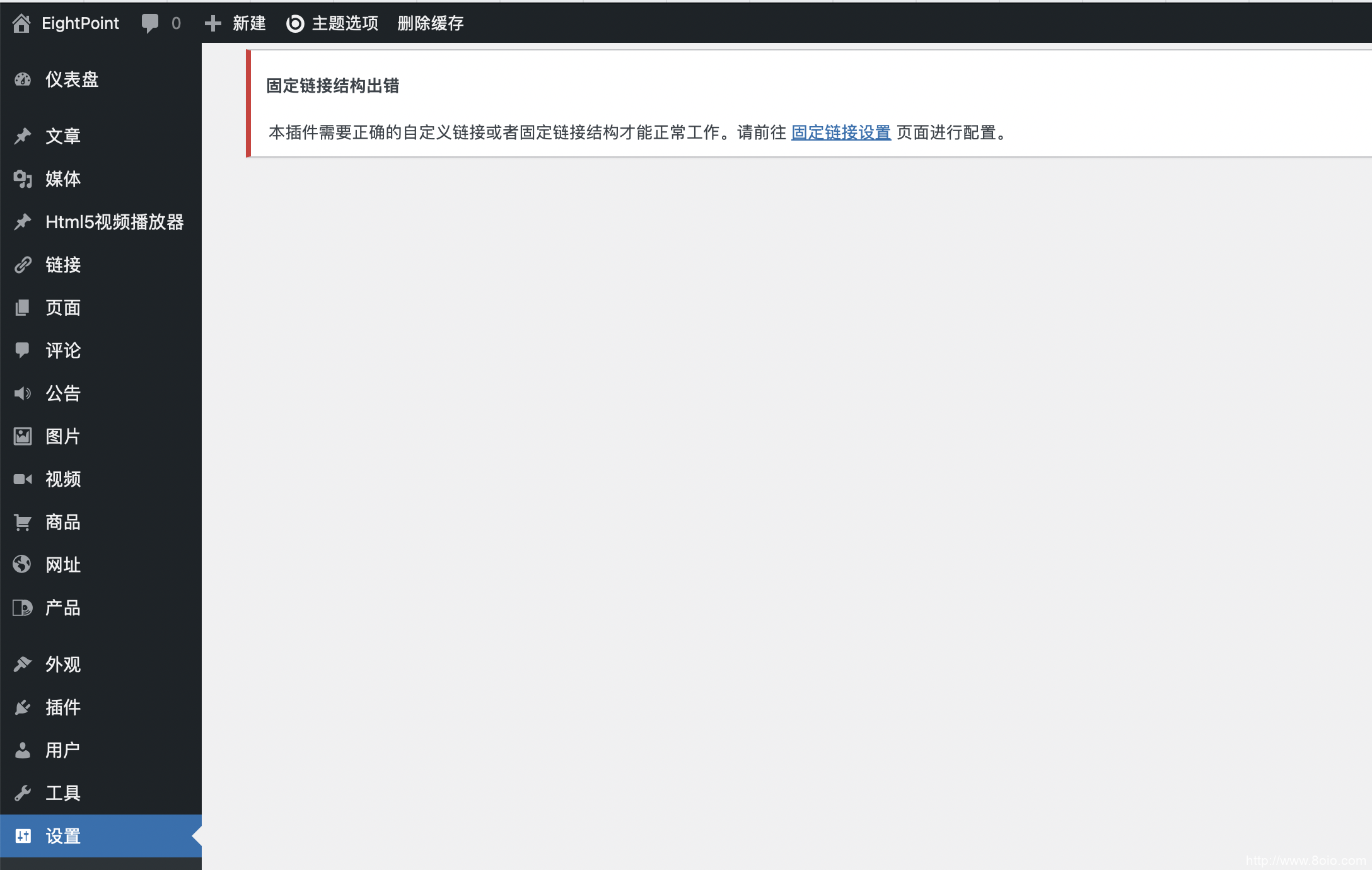
进入wp super cache插件管理页面,可以看到此时会提示修改固定链接,此时需要修改链接为非朴素的模式。文章源自八点运动-https://www.8oio.com/25.html
 文章源自八点运动-https://www.8oio.com/25.html
二、修改固定链接
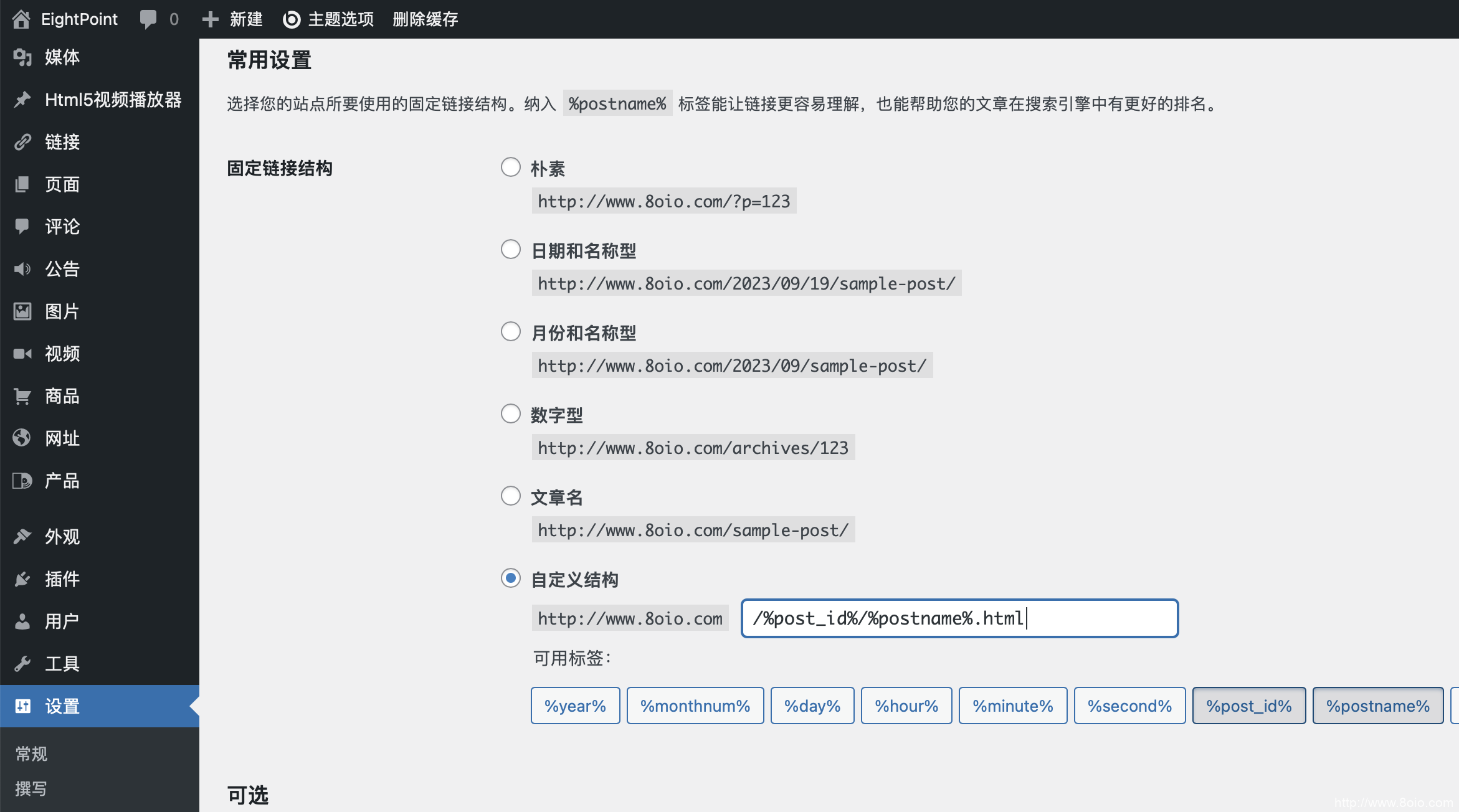
这里需要注意两个地方,一个是选择一种链接类型(必选),一个是选择分目录前缀。文章源自八点运动-https://www.8oio.com/25.html
在“设置”中点击“固定链接”,选择“自定义结构”并填写自己喜欢的形式,注意,最后的后缀名是“.html”文章源自八点运动-https://www.8oio.com/25.html
 文章源自八点运动-https://www.8oio.com/25.html
文章源自八点运动-https://www.8oio.com/25.html
三、修改伪静态规则
(修改固定链接后网站里的文章出现404问题)文章源自八点运动-https://www.8oio.com/25.html
Apache伪静态规则
Apache是 Linux 主机下常见的环境,现在一般的 Linux 虚拟主机都采用这种环境。新建一个 htaccess.txt 文件,添加下面的代码:文章源自八点运动-https://www.8oio.com/25.html
<IfModule mod_rewrite.c>
RewriteEngine On
RewriteBase /
RewriteRule ^index\.php$ - [L]
RewriteCond %{REQUEST_FILENAME} !-f
RewriteCond %{REQUEST_FILENAME} !-d
RewriteRule . /index.php [L]
</IfModule>
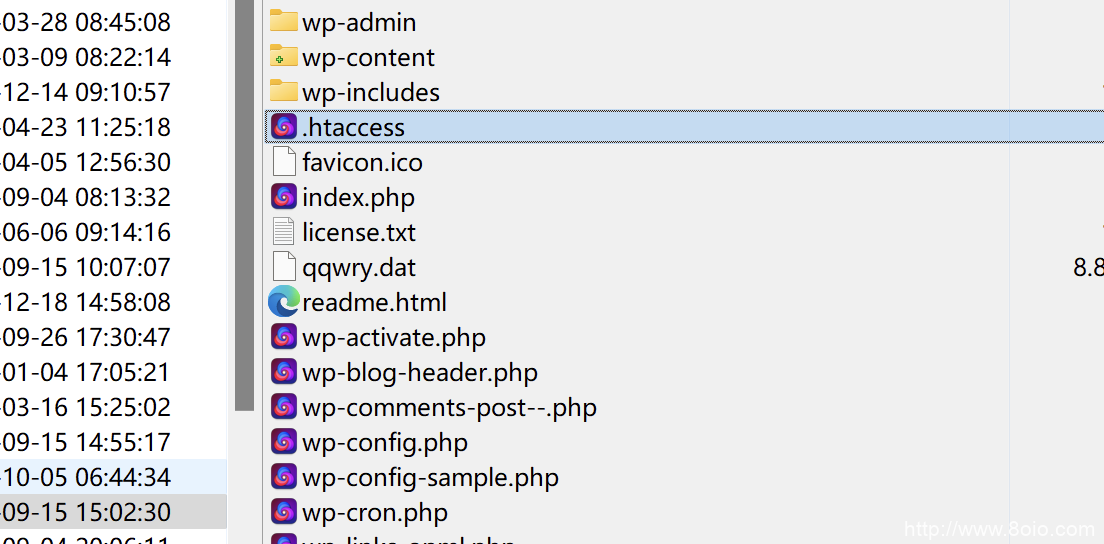
然后上传到 WordPress 站点的根目录,重命名为 .htaccess 即可文章源自八点运动-https://www.8oio.com/25.html
 文章源自八点运动-https://www.8oio.com/25.html
Nginx伪静态规则
打开 nginx.conf,在 server { } 大括号里面添加下面的代码:
location / {
	try_files $uri $uri/ /index.php?$args;
}

# Add trailing slash to */wp-admin requests.
rewrite /wp-admin$ $scheme://$host$uri/ permanent;
保存,重启 Nginx 即可。
四、修改服务器配置以适应固定链接
由于服务器本身默认是不支持固定链接类型转换的,因此我们需要去开启服务,这里分别列出apache和nginx的配置方法:
apache:
打开apache\conf\httpd.conf配置文件;
mod_rewrite模块: LoadModule rewrite_module modules/mod_rewrite.so,去掉前面的#;
开启AllowOverride :AllowOverride None 替换为 AllowOverride All;
保存文件-》重启Apache-》刷新站点。
nginx:(阿里云虚拟机举例)
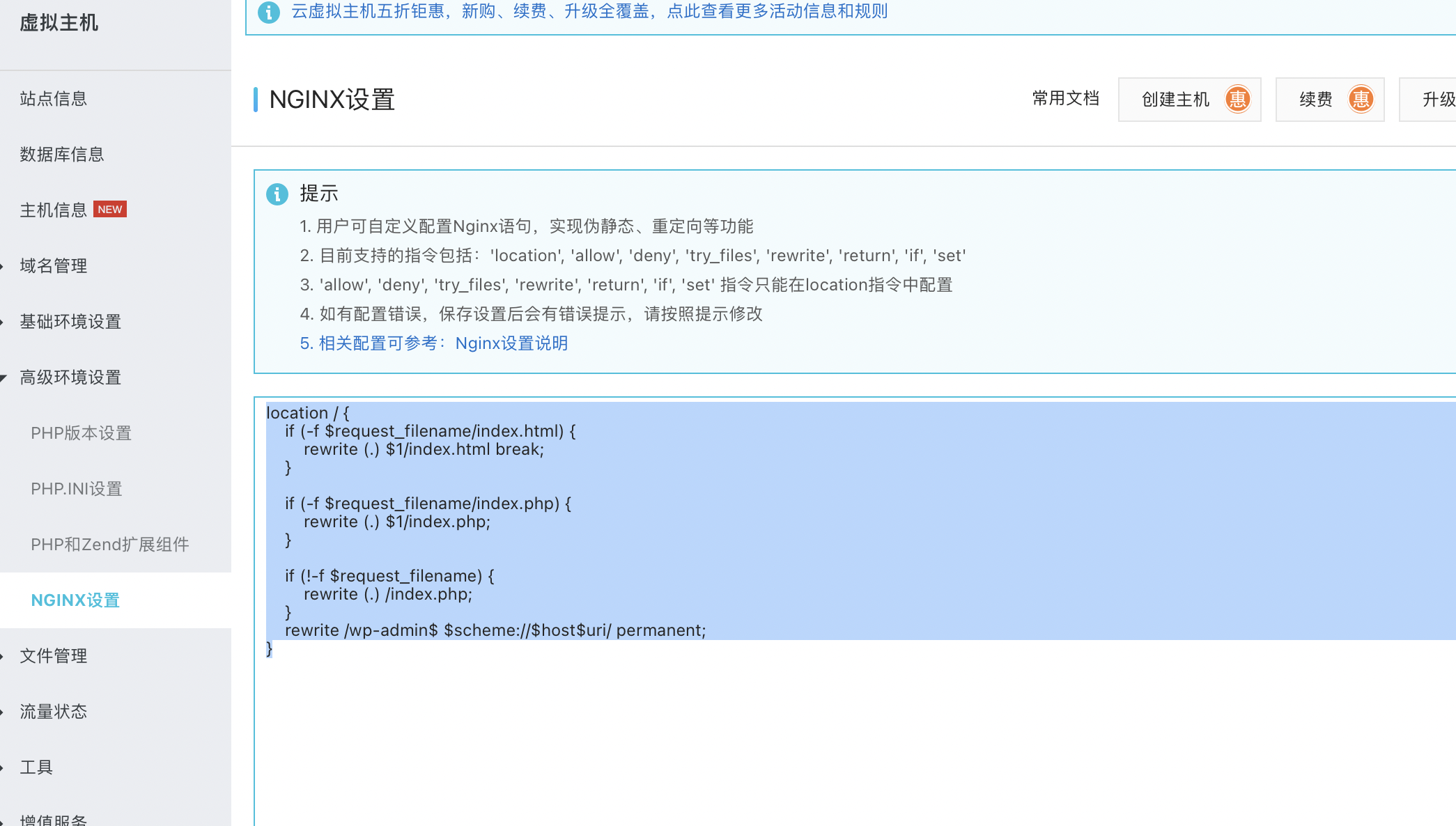
location / {
    if (-f $request_filename/index.html) {
        rewrite (.) $1/index.html break;
    }

    if (-f $request_filename/index.php) {
        rewrite (.) $1/index.php;
    }

    if (!-f $request_filename) {
        rewrite (.) /index.php;
    }
    rewrite /wp-admin$ $scheme://$host$uri/ permanent;
}
重新加载网页,查看效果。